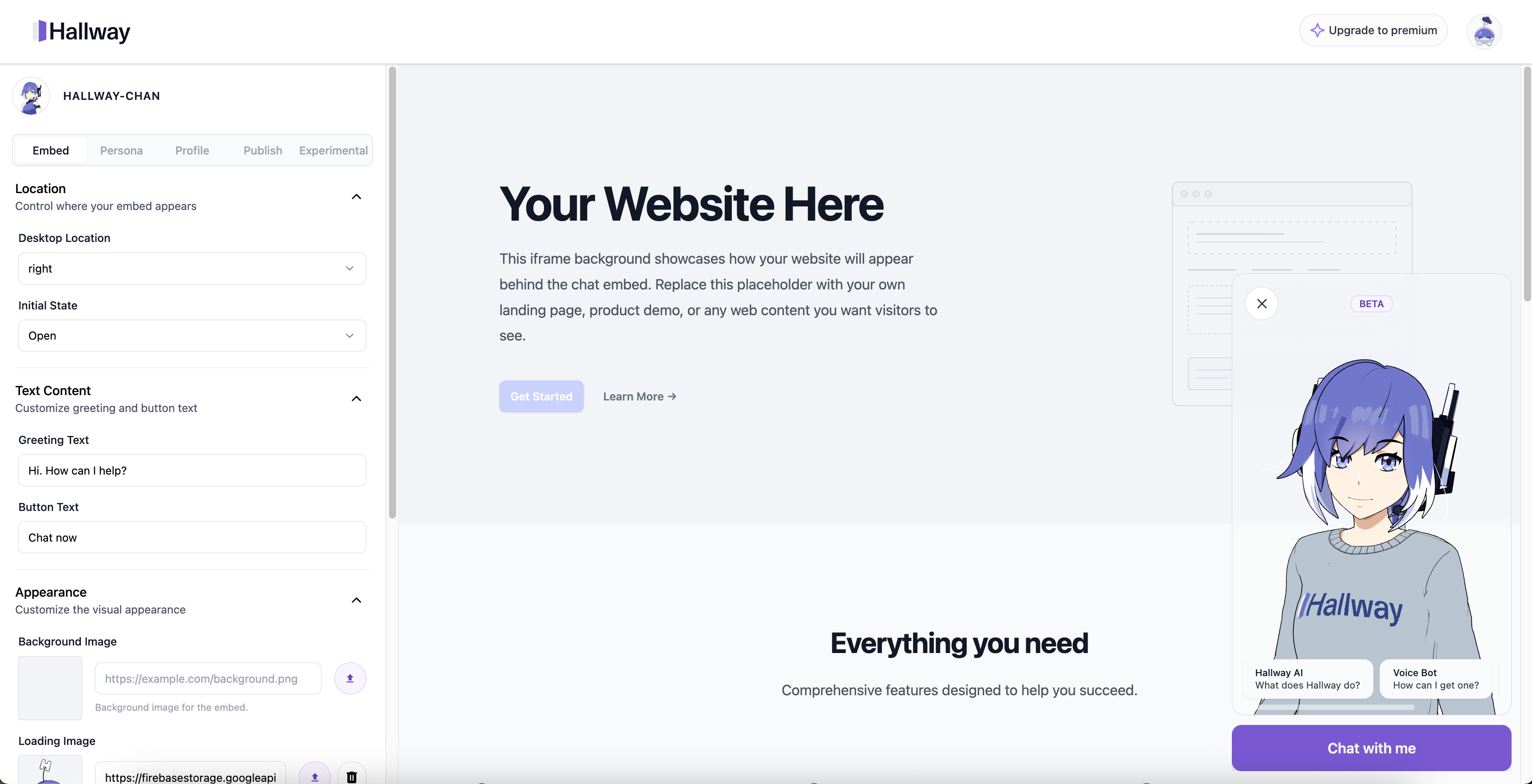
# Dashboard Settings
## Styling the Embed
#### Customizing Your Embed
There are two ways to customize your Hallway.ai embed: through the visual settings in your dashboard, or by adding custom CSS to your website.
**Dashboard Settings**
Some customization can be done directly through your character's embed dashboard without any coding. Navigate to your character's Embed tab at hallway.ai/\/embed.
* Desktop Location: Choose where the embed appears (bottom-right, bottom-left, etc.)
* Initial State: Set whether the embed starts open or closed
Text Content
* Greeting Text: Customize the welcome message users see in the closed state
* Button Text: Change the text on the action button
Appearance
* Background Image: Upload or link to a custom background image for the chat
* Loading Image: Set a custom loading animation (max 250x250px)
* Button Color: Choose your brand color for the push to talk button
Icebreaker Questions
* Questions Display Size: Show questions as hidden, compact, or full
* Custom Questions: Add conversation starters with optional sub-prompts
---
# Agent Instructions: Querying This Documentation
If you need additional information that is not directly available in this page, you can query the documentation dynamically by asking a question.
Perform an HTTP GET request on the current page URL with the `ask` query parameter:
```
GET https://hallway.gitbook.io/embed/basics/styling-the-embed/dashboard-settings.md?ask=
```
The question should be specific, self-contained, and written in natural language.
The response will contain a direct answer to the question and relevant excerpts and sources from the documentation.
Use this mechanism when the answer is not explicitly present in the current page, you need clarification or additional context, or you want to retrieve related documentation sections.